Why GIFs on X (Twitter) Download as MP4 Videos, and How to Get a Real .gif
The "GIF" you see on X is actually a short silent video. Here is why the platform does that, when MP4 is the better file to keep, and how to turn it into a real GIF that works anywhere.
You save a "GIF" from a post on X and get an .mp4 file. Many people assume the download went wrong. It didn't: the platform stores and plays GIFs as video files, and has done for years.
Why X turns GIFs into videos
The GIF format is from 1987. It was never designed for long, colourful animations:
- 256 colours per frame at most. Photos and video footage must be reduced to a limited palette, which causes banding and speckled "dithering".
- No modern compression between frames. Video formats only store what changes from one frame to the next, and they predict motion. GIF mostly stores each frame as a full image with simple lossless compression.
- No sound.
For the same few seconds of motion, a GIF is often several times larger than an MP4, and it looks worse. Platforms such as X therefore convert uploaded GIFs into short, silent, looping MP4 videos. On the post, they play like GIFs: automatically, without sound, on a loop. Underneath, they are videos.
We measured how much bigger
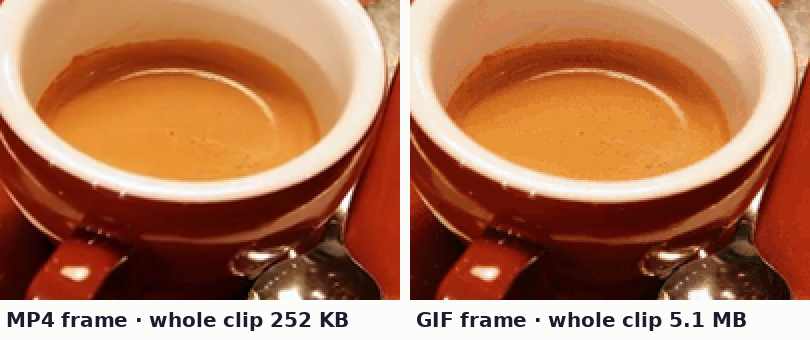
We made three six-second test clips at 640 × 360 and 30 frames per second: a slow zoom across a photo of an espresso cup, a dashboard screenshot scrolling like a software demo, and a zoom across the Hubble Deep Field, a worst case full of tiny points of light. Each was saved as an H.264 MP4 at a typical web setting (CRF 23), then converted to GIF with the exact pipeline the imgstools X tool runs in your browser.
| Clip (6 seconds) | MP4: 640 × 360, 30 fps | GIF: 480 × 270, 12 fps | GIF ÷ MP4 |
|---|---|---|---|
| Photo zoom | 252 KB | 5.1 MB | 20× |
| Screen recording | 60 KB | 1.0 MB | 17× |
| Starfield zoom | 369 KB | 3.4 MB | 9× |
The GIF had fewer pixels per frame and fewer than half the frames, and it was still 9 to 20 times larger. The photo GIF ran at about 850 KB per second, against roughly 40 KB per second for its MP4, so a 30-second GIF of similar footage would be around 25 MB.
MP4 or GIF: which one should you keep?
| You want to... | Keep |
|---|---|
| Re-post it on a platform that accepts video | MP4: smaller and better quality |
| Put it on a modern website | MP4, as a muted autoplay looping video |
| Paste it into a chat app, forum, wiki or email that only animates GIFs | GIF |
| Use it in a slide deck or document editor | GIF is the most compatible |
| Upload it somewhere that only accepts image files | GIF |
If MP4 works where you need it, keep the MP4. Convert to GIF only when the destination requires it.
What changes when you convert MP4 to GIF
A good conversion makes deliberate trade-offs to keep the GIF a reasonable size:
- Frame rate. Video often runs at 30 frames per second. Around 10–15 fps keeps motion readable at a fraction of the size.
- Dimensions. File size grows with pixel count on every frame. A long edge of about 480 px is a common balance between clarity and size.
- Colour palette. Each frame is reduced to 256 colours. Flat graphics and cartoons survive well. Skin, sky and gradients show banding.
- Length. A GIF is not a good container for long clips. Keep it to a few seconds where possible.
How the imgstools X downloader handles it
On the X (Twitter) downloader, posts that contain a GIF are labelled "GIF (no audio)", and you can save a real .gif file. The conversion happens in your browser at 12 frames per second, with the long edge limited to 480 px, up to 30 seconds (360 frames). It builds a separate 256-colour palette for each frame, so colours stay as close as possible to the video, and the GIF loops forever. You can still save the original MP4 if you prefer the smaller, higher-quality file.
What the settings do to size
GIF size grows almost exactly with the number of frames and the pixels in each frame:
| Settings | Photo zoom | Screen recording | Starfield |
|---|---|---|---|
| 12 fps, 480 px (tool default) | 5.11 MB | 1.04 MB | 3.44 MB |
| 15 fps, 480 px | 6.38 MB | 1.30 MB | 4.32 MB |
| 8 fps, 480 px | 3.41 MB | 0.69 MB | 2.30 MB |
| 12 fps, 360 px | 3.19 MB | 0.70 MB | 2.14 MB |
| 8 fps, 360 px | 2.13 MB | 0.46 MB | 1.43 MB |
Going from 12 to 8 fps cut the size by a third, and reducing the long side from 480 to 360 pixels cut it by about 38%. The imgstools converter writes every frame in full with its own palette, which keeps colours as accurate as GIF allows. Some desktop GIF tools store only the parts of each frame that change, which can make GIFs of mostly static scenes much smaller, but it doesn't close the gap with video.
Method: Playwright's Chromium cannot decode H.264, so the conversion read a near-lossless VP9 copy of each clip with identical frames. Sizes are decimal (1 MB = 1,000,000 bytes).
Making a better GIF
- Trim to the moment. Every extra second adds frames.
- Choose clips with less motion and fewer colours. Screen recordings and simple animations convert well. Busy camera footage converts badly.
- Smaller is often better. A GIF in a chat or document is usually shown at 300–500 px anyway.
- Check the file size before posting. Many forums and messaging apps limit GIF uploads to a few megabytes.
Use content responsibly
The downloader works only with public posts. Being public does not mean free to reuse. The person who made a clip usually holds its rights. Saving a GIF to share with a friend is very different from reusing it in a product, an advert or on a monetised channel. Ask for permission, link to the original post, or use the platform's own share and embed options when you are not sure.
Summary
- X stores GIFs as silent looping MP4 videos because they are much smaller and look better.
- Keep the MP4 if your destination accepts video. Convert to GIF only for places that require it.
- A good GIF conversion uses a lower frame rate, a smaller size and a 256-colour palette.
Keep exploring
More from imgstools

Saving social media videos and photos: your own archive, permission and copyright basics
Read note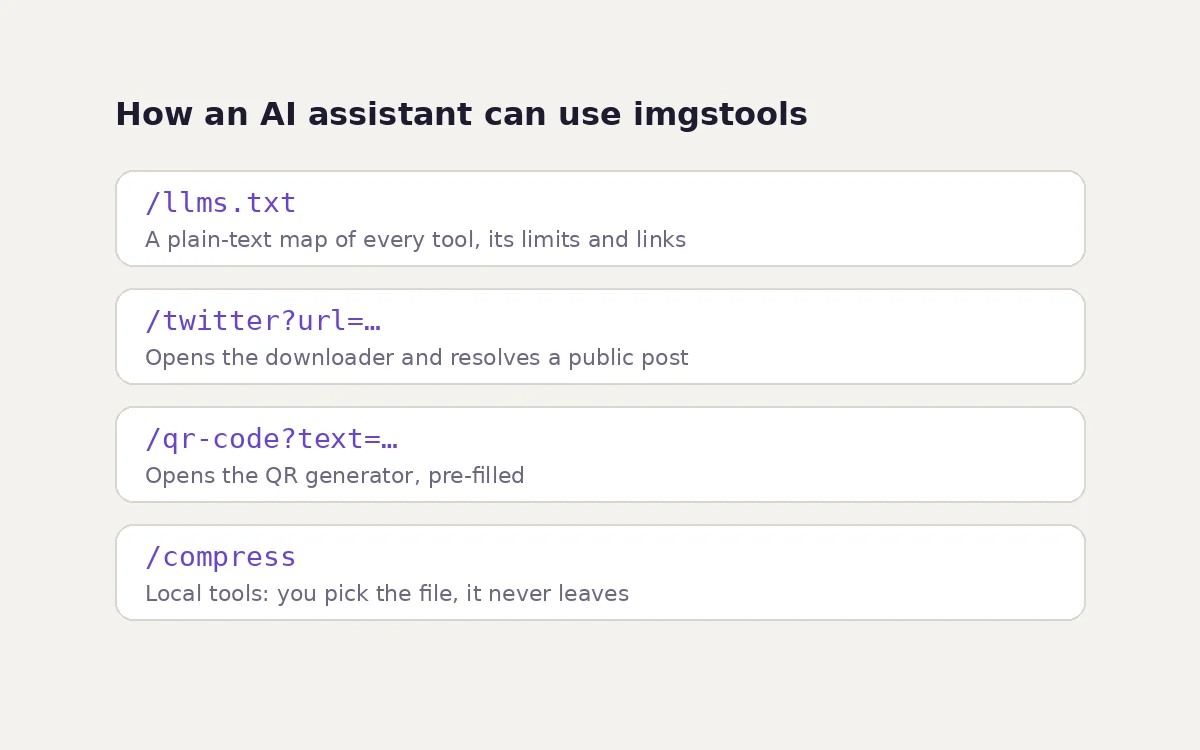
Using imgstools with AI assistants and browser agents: llms.txt, deep links and private files
Read note